Samplify
The right sound. The exact moment.
Samplify started with catching an interesting moment in a song. Testing made the real requirement clearer: I needed to see the audio, choose the exact phrase and keep working with it. That changed both the capture engine’s behaviour and the interface around it.
Inspect the interface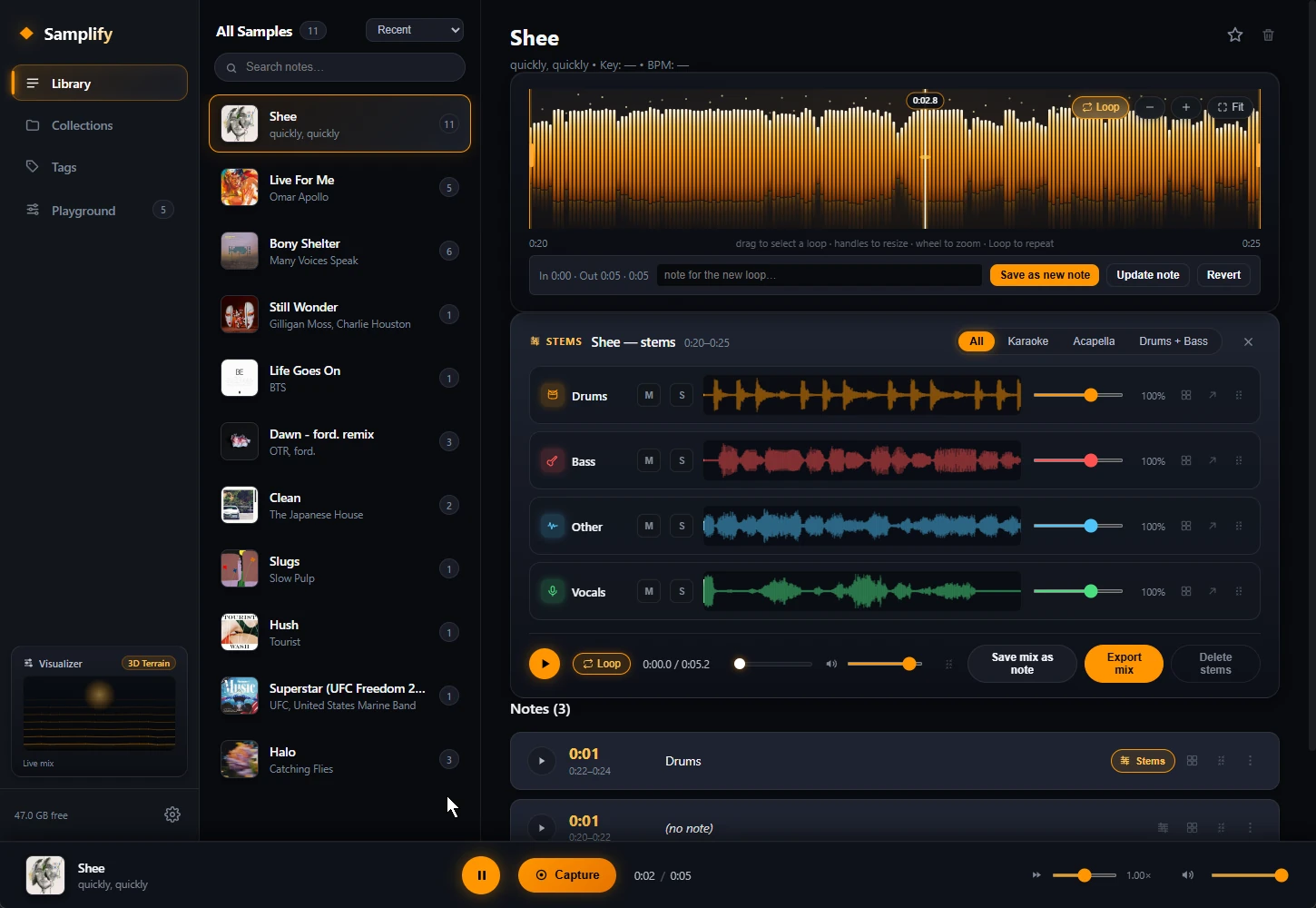
A saved clip could still miss the idea.
An early capture flow guessed a window of audio around a marker. That left the important decision, the exact phrase I wanted, until later. Capture and editing also lived on separate surfaces. I wanted to choose, listen and save at the moment of capture, then keep refining the same material in the library.
“The most important thing about a sample is picking the timeframe.”
See it. Select it. Keep working.
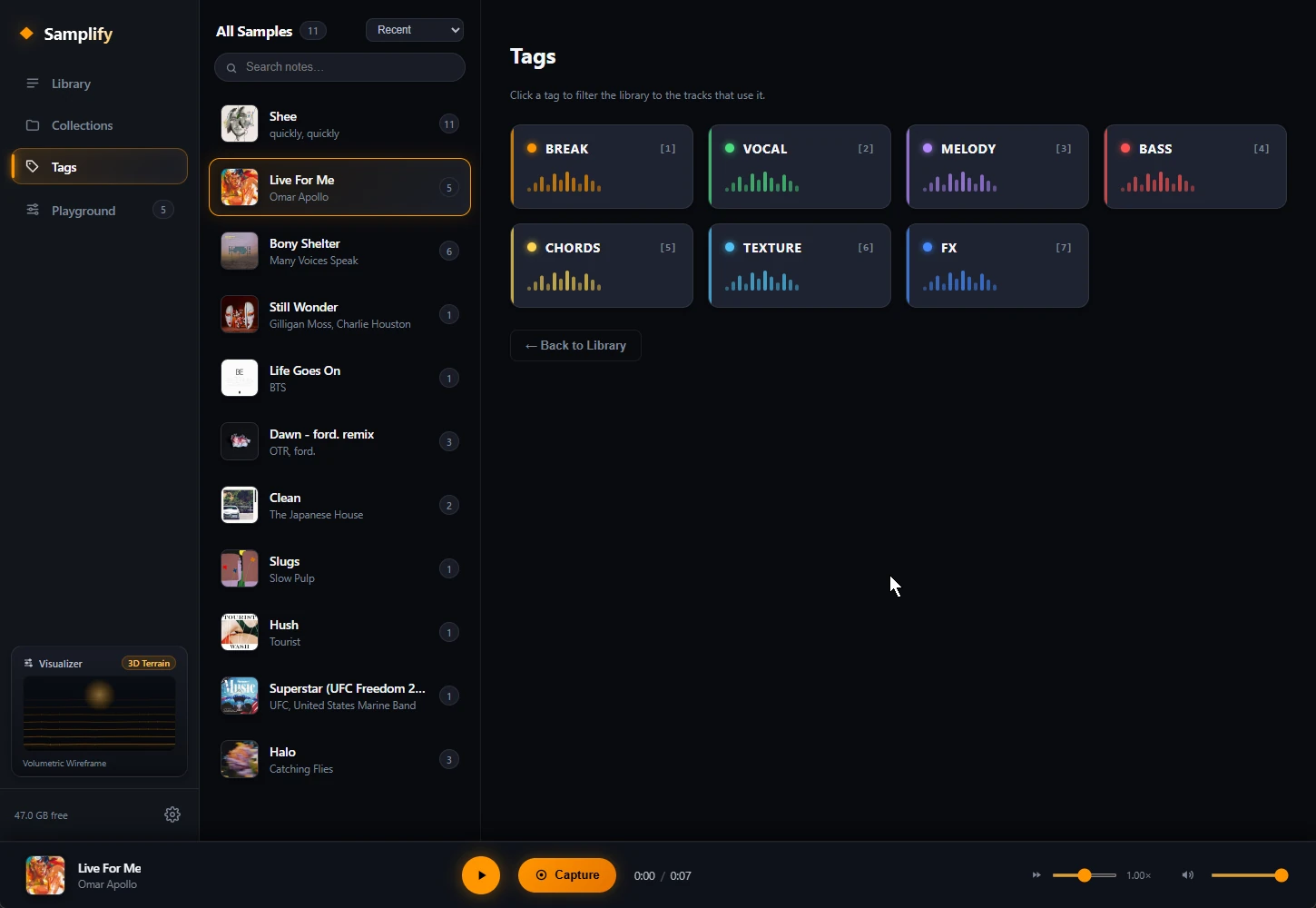
The desktop app combines a rolling audio buffer, waveform selection, a local library and a stem mixer. A capture freezes the buffered audio so the selection can be auditioned and saved. The library keeps notes and editing close together; pretrained separation models provide drums, bass, vocals and other stems through ONNX Runtime.
- 01Capture an idea
- 02Find it in the library
- 03Trim and mix
- 04Save or export
How the work evolved.
- July 2026 / Capture
Replace the guessed window with a choice.
I redesigned capture around a frozen waveform: drag a range, listen to it, then save exactly that selection. Underneath, the Rust commands keep the snapshot and slice the audio on whole sample frames, so timing and stereo channels stay aligned.
- July 2026 / Playback
Listen to what was actually saved.
Testing by ear caught clips playing the wrong audio, saves duplicating an existing clip and playback heads escaping their loops. I made clip identity, time offsets and saved selections explicit review points. A waveform that looks right is only half the test.
- September 2026 / The workbench
Make separation something you can work with.
Using StemKit as a reference, I pushed for real stem control and an orange-and-black workspace built for working. Local separation, mute and solo, faders, loops and export turn the model output into something usable. The separation model is third-party; the product around it is the work.
A creative tool has to preserve intent.
Working on Samplify taught me how closely interface decisions and native audio behaviour depend on each other. The user chooses a phrase; the software has to preserve the same phrase through capture, trimming, playback and export. I learned to test that continuity by using the tool and listening.
The part I owned.
Concept, capture and editing workflow, visual direction, hands-on testing and directing AI-assisted development. I integrated established audio libraries and pretrained models into the product.
About these images
Grounded in July–September development conversations and the current capture, storage and stem-processing source. I supplied the desktop images on 30 September. They show the interface; historical test feedback is not a fresh end-to-end verification of this build.
Status and scope
Native audio capture and local processing need a current desktop demonstration. No processing-speed or cross-platform compatibility claim is made. The source repository is private.
Technical foundations
Tauri · Rust · JavaScript · SQLite · ONNX Runtime. The stack reflects the project’s web or desktop workflow and its integration needs.
For a desktop utility or specialist creative tool, this shows how I turn a specific workflow into an interface and keep testing the behaviour underneath it.
Let’s discuss itThe interface, in detail.
Twin Shadows